Search for addresses with structured queries and return sf objects
Source:R/geo-lite-struct-sf.R
geo_lite_struct_sf.RdSearches for addresses already split into components and returns matching
results as an sf object. Use geo_lite_struct() to return a
tibble instead.
This function performs the structured address search described in the
API endpoint. To
perform a free-form search, use geo_lite_sf().
Usage
geo_lite_struct_sf(
  amenity = NULL,
  street = NULL,
  city = NULL,
  county = NULL,
  state = NULL,
  country = NULL,
  postalcode = NULL,
  limit = 1,
  full_results = FALSE,
  return_addresses = TRUE,
  verbose = FALSE,
  nominatim_server = "https://nominatim.openstreetmap.org/",
  custom_query = list(),
  points_only = TRUE
)
Arguments
- amenity
A character string specifying the name or type of amenity. See
geo_amenity().- street
A character string specifying the house number and street name.
- city
A character string specifying the city.
- county
A character string specifying the county.
- state
A character string specifying the state.
- country
A character string specifying the country.
- postalcode
A character string specifying the postal code.
- limit
A positive integer specifying the maximum number of results to return per query. Nominatim returns at most 50 results per query.
- full_results
A logical value indicating whether to return all available fields from the Nominatim API. If
FALSE, only query metadata, geometry and requested address columns are returned.- return_addresses
A logical value indicating whether to include single-line addresses in the results.
- verbose
A logical value indicating whether to display detailed messages in the console.
- nominatim_server
A character string specifying the base URL of the Nominatim server. Defaults to
"https://nominatim.openstreetmap.org/".- custom_query
A named list of additional API parameters, for example
list(countrycodes = "US"). See Details.- points_only
A logical value indicating whether to return only point geometries. If
FALSE, the API may return other geometry types. See About geometry types.
Value
An sf object with the results that match the query.
Details
A structured address search accepts an address already split into components. Each argument represents an address field. All components are optional, so provide only those relevant to the address you want to find.
See https://nominatim.org/release-docs/latest/api/Search/ for additional
parameters to pass to custom_query.
About geometry types
The points_only argument controls whether the results contain only points.
All Nominatim results have at least a point geometry.
When points_only = FALSE, the geometry type depends on the matching
feature. Administrative areas and major buildings are returned as polygons,
rivers and roads are returned as lines and amenities may still be returned
as points.
This function is vectorized, allowing multiple addresses to be searched.
With points_only = FALSE, multiple geometry types may be returned.
See also
Address search functions:
geo_lite(),
geo_lite_sf(),
geo_lite_struct()
Spatial helper and output functions:
bbox_to_poly(),
geo_address_lookup_sf(),
geo_amenity_sf(),
geo_lite_sf(),
reverse_geo_lite_sf()
Examples
# \donttest{
# Search with a structured address.
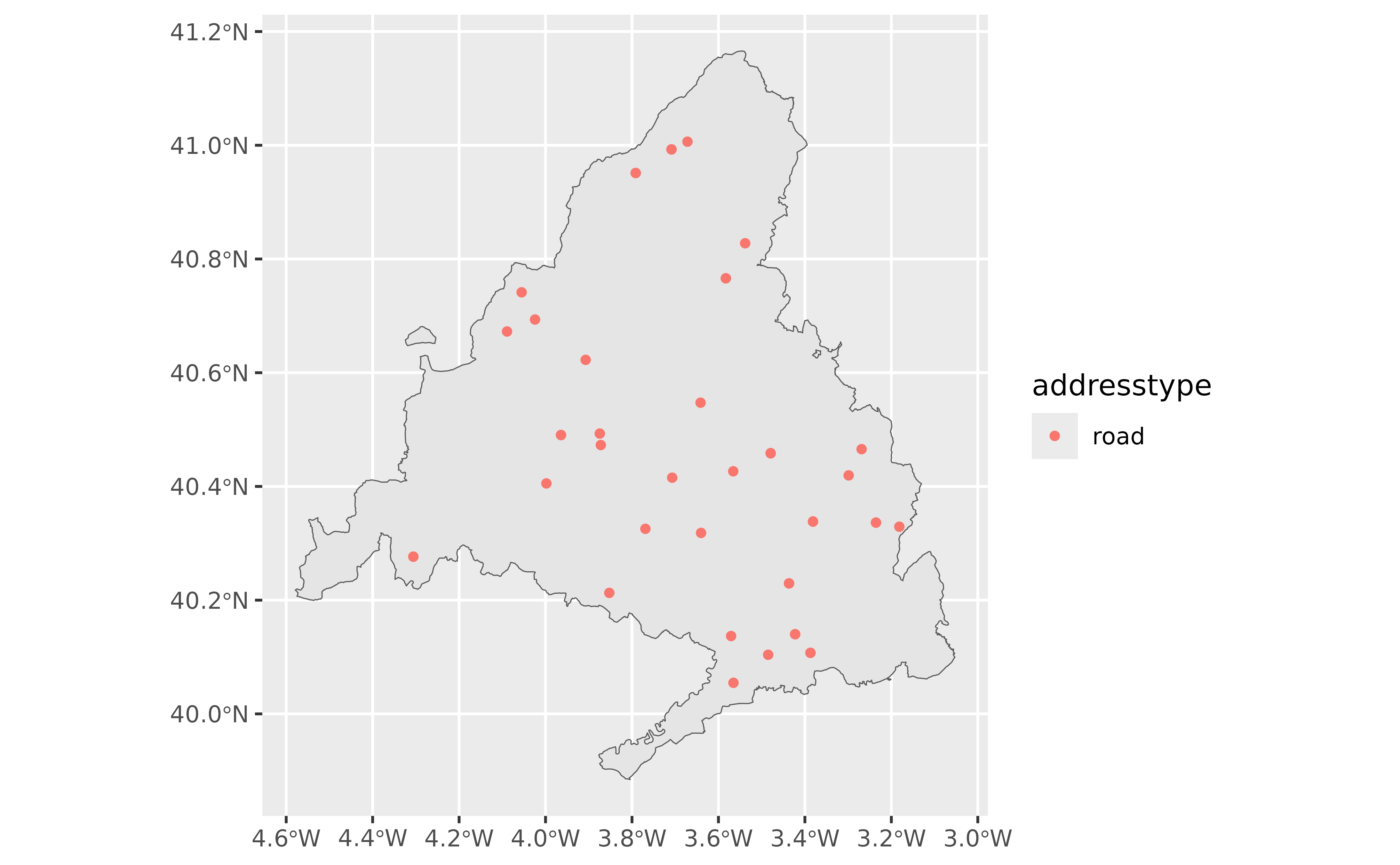
pl_mayor <- geo_lite_struct_sf(
street = "Plaza Mayor",
county = "Comunidad de Madrid",
country = "Spain", limit = 50,
full_results = TRUE, verbose = TRUE
)
# Retrieve an administrative boundary.
ccaa <- geo_lite_sf("Comunidad de Madrid, Spain", points_only = FALSE)
library(ggplot2)
if (any(!sf::st_is_empty(pl_mayor), !sf::st_is_empty(ccaa))) {
ggplot(ccaa) +
geom_sf() +
geom_sf(data = pl_mayor, aes(shape = addresstype, color = addresstype))
}
 # }
# }