Jump to an example from the table of contents or open the sidebar from the left edge of the page. Try the keyboard controls on the tabs, gallery and carousel, then open the BibTeX citation at the end.
See the official Kitchen Sink for more post features and the layout reference for the available settings and version requirements.
Tables of contents
Choose Carousel in the in-page or sidebar index, then scroll to Video to see the current section update. The expandable index below is generated by kramdown from the same article.
Open the kramdown table of contents
Guest author
Alex Rivera is a fictional guest author for this demo. The author card links back to this section. Open the sample citation to see how the theme formats the author, title and URL.
Series navigation
Open Series index to see both pages in the starter tour. Select Previous to return to About. For setup, see Series navigation.
Series index: Starter tour
Diagrams, equations and code
flowchart LR
    accTitle: Publishing workflow
    accDescr: Draft a post, preview it, then publish it.
    Draft --> Preview --> Publish
The sum of the first (n) positive integers is:
\[\sum_{k=1}^{n} k = \frac{n(n+1)}{2}\]layout: default
show_toc: true
mermaid: true
Callouts
Use callouts to give publishing advice a clear purpose. Each type supplies its own heading and icon.
The page preview uses your current draft.
Open the preview on a narrow screen before publishing.
Update internal links before you change a published URL.
Remove private tokens from the files you publish.
Save a copy of your working configuration before switching skins.
Tabs
Switch between three stages of publishing an article. Use the arrow keys to move between tabs.
Write your title and section headings before adding screenshots or code.
Read the generated page and try its links and controls with the keyboard.
Open the public URL after deployment and verify that it serves the latest article.
Tables
A short table pairs each file with its purpose.
| File | Purpose |
|---|---|
_config.yml |
Site settings |
index.md |
Home page |
Align text to the left, status labels to the center and durations to the right so readers can scan each column.
| Check | Status | Time |
|---|---|---|
| Links | Done | 2 min |
| Mobile view | Done | 5 min |
| Keyboard | Pending | 4 min |
Blockquotes
A blockquote sets a passage apart from the surrounding prose. Add a footer when the reader needs to know where the quotation came from.
Preview the article at the width your readers are likely to use.
Check the preview with a keyboard before signing off.
Footnotes
Keep short explanations in footnotes when they would interrupt the article. Follow a note number to read it, then use its backlink to return.
Preview the draft locally,1 check its public URL after deployment,2 and sign off after a keyboard pass.3
Lists
Use an ordered list when the sequence matters, and bullets when readers can work through the items independently. A definition list pairs terms with explanations.
- Write the draft.
- Preview the generated page.
- Publish after review.
- Check the article metadata.
- Review the media:
- Check image descriptions.
- Try the video controls.
- Draft
- An article still being edited.
- Preview
- A build you can inspect before publication.
Action links
Use button styles for links that lead to a clear action. Here the main action opens the starter guide, and the secondary links lead to supporting material.
Image galleries
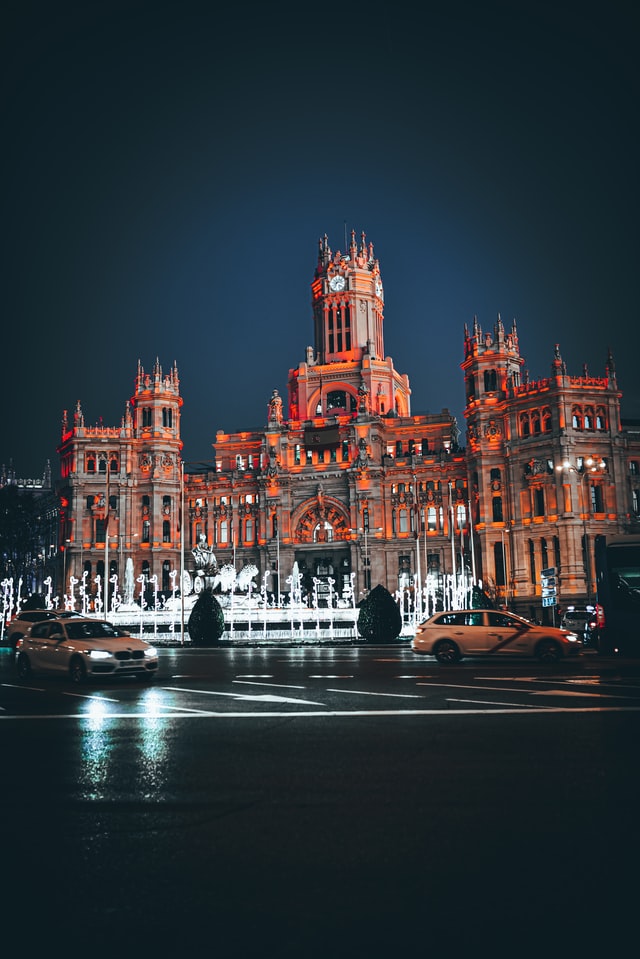
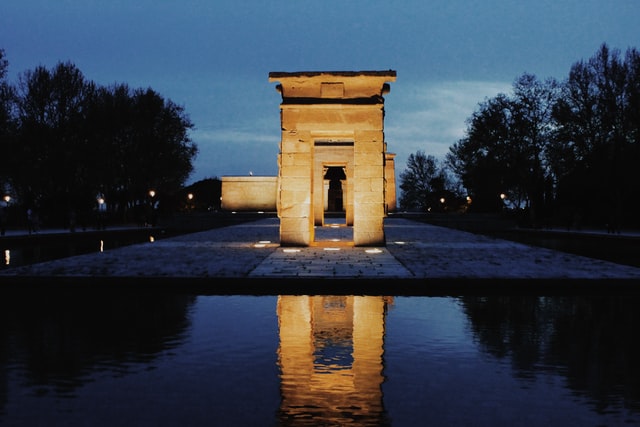
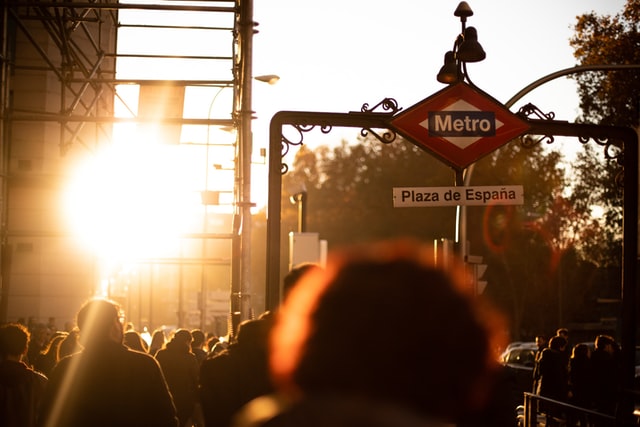
Madrid photographs by Quique Olivar, Paula Carrasco and David Monje, in display order.
Masonry gallery
Select an image to open PhotoSwipe. Use the arrow keys to browse and press Escape to return to the gallery.
Carousel
Use the previous and next controls to change slides, or open a slide to zoom in with PhotoSwipe.
Video
This sample clip from the theme documentation shows a lagoon from above.
How to cite this post
For attribution, please cite this work as:
Alex Rivera. (n.d.). Kitchen Sink. My journal. https://dieghernan.github.io/chulapa-101/kitchen-sink/
BibTeX
@misc{chulapa-101-kitchen-sink,
  author = {Alex Rivera},
  title = {Kitchen Sink},
  howpublished = {My journal},
  url = {https://dieghernan.github.io/chulapa-101/kitchen-sink/},
}