Convert Visual Studio Code, Positron and TextMate theme files to custom RStudio themes.
This package provides tools to convert Visual Studio Code, Positron and TextMate theme files (.json and .tmTheme formats) to RStudio .rstheme files. RStudio has supported custom themes in .rstheme format since RStudio 1.2. See the RStudio theme creation documentation.
This package is stable and maintained on a best-effort basis. I currently prioritize CRAN compatibility and bug and regression fixes over new features.
Features
- Convert Visual Studio Code, Positron and TextMate theme files to RStudio
.rsthemefiles. - Convert themes bidirectionally between TextMate and Visual Studio Code or Positron formats.
- Install bundled ports of popular Visual Studio Code and Positron themes that are ready to use in RStudio.
- List, preview and remove bundled RStudio themes.
- Read theme files as tabular data for inspection or conversion workflows.
Bundled themes
This package includes ports of several popular Visual Studio Code and Positron themes, ready to use in RStudio. Use install_rstudiothemes() to install them in your RStudio IDE:
rstudiothemes::install_rstudiothemes()

#> ✔ Installed 38 themes
#> ℹ Use `rstudiothemes::list_rstudiothemes()` to list installed themes.
#> ℹ Use `rstudiothemes::try_rstudiothemes()` to preview installed themes.

rstudioapi::applyTheme("Winter is Coming Dark Blue")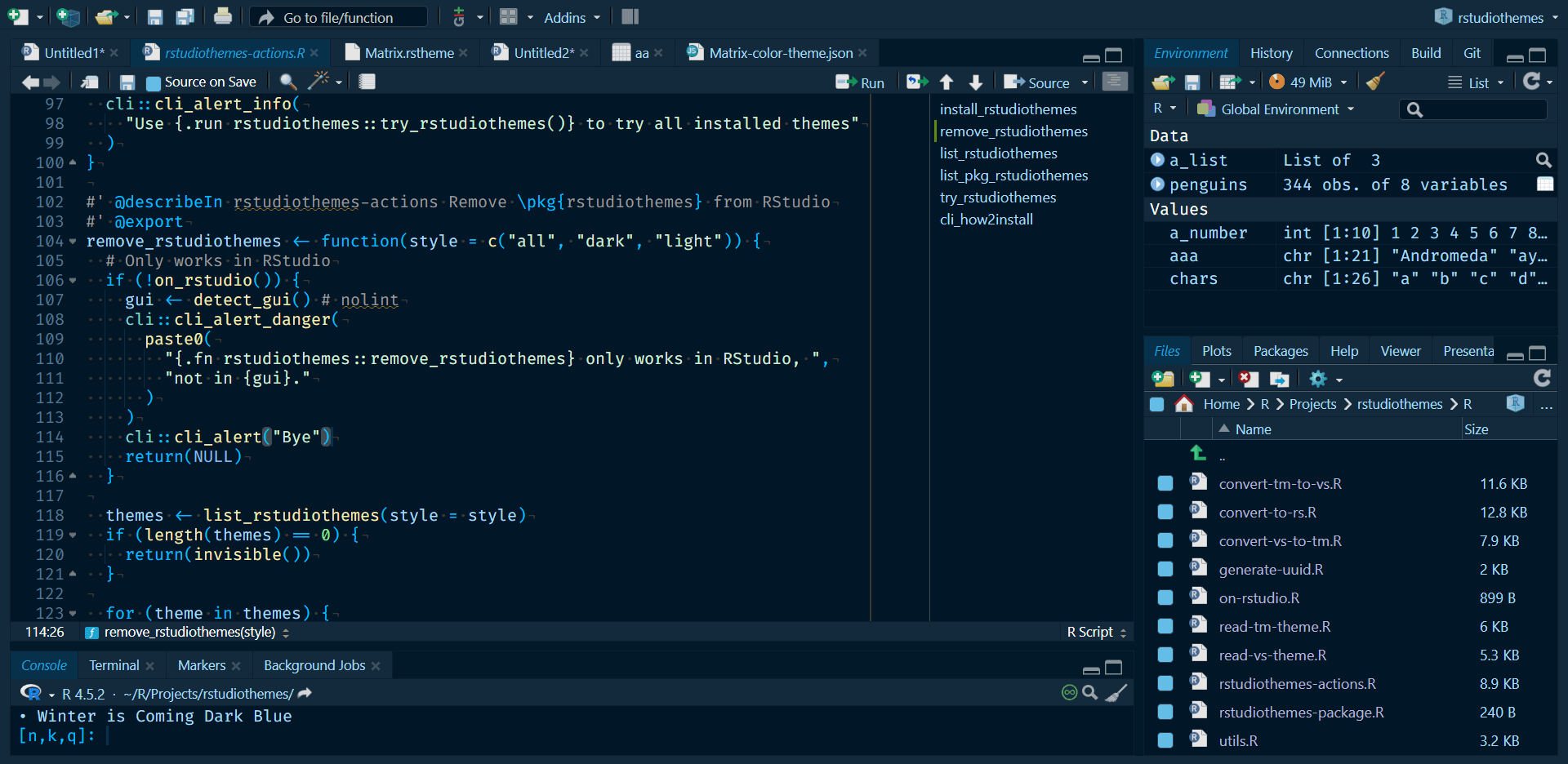
Available themes include popular choices such as Tokyo Night, Night Owl, Winter is Coming, SynthWave 84, Nord and many more:
rstudiothemes::list_rstudiothemes(list_installed = FALSE)
#>  [1] "Andromeda"                  "ayu Dark"
#>  [3] "ayu Light"                  "Barbie Theme"
#>  [5] "Bluloco Light"              "Catppuccin Latte"
#>  [7] "Catppuccin Mocha"           "cobalt2"
#>  [9] "CRAN"                       "Dracula2025"
#> [11] "GitHub Dark"                "GitHub Light"
#> [13] "JellyFish Theme"            "Matcha"
#> [15] "Matrix"                     "Night Owl"
#> [17] "Night Owl Light"            "Nord"
#> [19] "OKSolar Dark"               "OKSolar Light"
#> [21] "OKSolar Sky"                "One Dark Pro"
#> [23] "Overflow Dark"              "Overflow Light"
#> [25] "Panda Syntax"               "Positron Dark"
#> [27] "Positron Light"             "Selenized Dark"
#> [29] "Selenized Light"            "Skeletor Syntax"
#> [31] "SynthWave 84"               "Tokyo Night"
#> [33] "Tokyo Night Light"          "Tokyo Night Storm"
#> [35] "VSCode Dark"                "VSCode Light"
#> [37] "Winter is Coming Dark Blue" "Winter is Coming Light"
The bundled themes are also distributed in a single .zip file at https://dieghernan.github.io/rstudiothemes/dist/rstudiothemes.zip. Unzip the file and install the themes using the RStudio IDE interface.
Installation
Read the documentation for the development version at https://dieghernan.github.io/rstudiothemes/dev/.
You can install the development version of rstudiothemes with:
# install.packages("pak")
pak::pak("dieghernan/rstudiothemes")
Alternatively, you can install rstudiothemes using r-universe:
# Install rstudiothemes in R:
install.packages(
  "rstudiothemes",
  repos = c(
    "https://dieghernan.r-universe.dev",
    "https://cloud.r-project.org"
  )
)
Try the online converter
The online Shiny app includes the main rstudiothemes conversion features and lets you convert theme files in your browser:
https://dieghernan-themeconverter.share.connect.posit.cloud/
Converting an existing theme
You can convert any Visual Studio Code, Positron or TextMate theme file to an RStudio .rstheme file with this workflow:
- Start with a Visual Studio Code, Positron or TextMate theme file or a URL to an online theme.
- Use
convert_to_rstudio_theme()to convert and install it:
rstudiothemes::convert_to_rstudio_theme(
  "<path/to/file>",
  apply = TRUE,
  force = TRUE
)
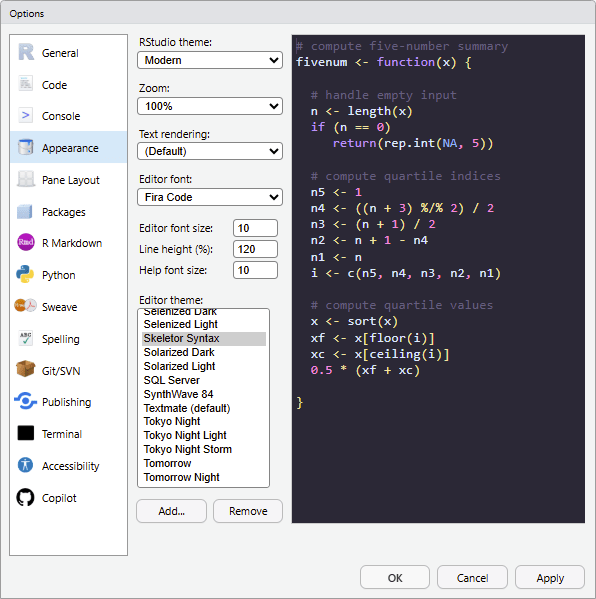
Alternatively, in RStudio, choose Tools > Global Options > Appearance > Add and select the installed theme.
Convert between theme formats
The package also provides convert_vs_to_tm_theme() and convert_tm_to_vs_theme() for conversion between Visual Studio Code, Positron and TextMate formats.
Creating themes from scratch
rstudiothemes does not provide a built-in theme editor. To create themes from scratch, use one of these tools and then convert the result:
-
TextMate
.tmTheme: Use https://tmtheme-editor.linuxbox.ninja/. See also the official RStudio documentation on creating themes. -
Visual Studio Code
.json: See the official Visual Studio Code documentation on creating color themes.
Contributing
Contributions are welcome. To contribute:
- Open an issue to discuss your ideas or proposed changes.
- Fork the repository and create a feature branch.
- Submit a pull request with clear commit messages and descriptions.
Citation
Hernangómez D (2026). rstudiothemes: Create and Install Custom RStudio Themes. doi:10.32614/CRAN.package.rstudiothemes. https://dieghernan.github.io/rstudiothemes/.
A BibTeX entry for LaTeX users:
@Manual{R-rstudiothemes,
  title = {{rstudiothemes}: Create and Install Custom {RStudio} Themes},
  doi = {10.32614/CRAN.package.rstudiothemes},
  author = {Diego Hernangómez},
  year = {2026},
  version = {1.1.2.9000},
  url = {https://dieghernan.github.io/rstudiothemes/},
  abstract = {Create, convert and install custom RStudio editor themes from Visual Studio Code, Positron and TextMate theme files. Convert themes between TextMate, Visual Studio Code and Positron formats and install bundled ports of popular themes for use in RStudio. Inspect theme files as tabular data for custom conversion workflows.},
}